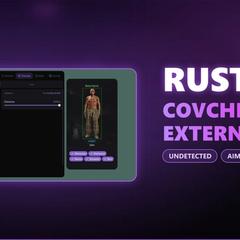
Covcheg External for Rust is an external cheat that runs from a flash drive and draws through RivaTuner. Virtualization and UEFI must be enabled in the BIOS, and Secure Boot must be off.
Tick off steps with “Done” — progress is saved in this browser.
1System requirements
- OS
- Windows 10 or 11
- CPU
- Intel or AMD
- GPU
- NVIDIA or AMD
- Window mode
- Any
- Game version
- Steam
- Spoofer included
- No
2Preparation
0 of 5Done once. Detailed steps for each item are on the Windows preparation page.
- Fully turn off Windows Defender, starting with Tamper Protection — how to
- Enable hardware virtualization in the BIOS (Intel VT-x / AMD SVM) — how to
- Turn on Hyper-V in Windows features — how to
- Turn off Secure Boot in the BIOS — how to
- Make sure the system disk uses GPT and the BIOS runs in UEFI mode — how to
3Launch
0 of 7- 1Download the loader from your dashboard and move it to a USB flash drive — no other copies should remain on the PC.
- 2Fully close Steam from the tray icon (Exit Steam).
- 3Run the loader from the flash drive, wait for the menu and click Launch.
- 4When the loader closes (the window and tray icon disappear), unplug the flash drive. A couple of minutes later it offers to restart — click OK.
- 5Install RivaTuner Statistics Server: On-Screen Display zoom and the alpha channel in Display palette to minimum, the frame counter to the top-left corner, Application detection level to High.
- 6Launch Rust and wait for the program menu.
- 7Repeat the flash drive and Steam-closing steps before every loader launch, and launch the game only with the flash drive unplugged.
4Troubleshooting
The menu doesn’t open
Make sure the program has fully loaded and that you are in the game, not the launcher. On a laptop, press the menu key together with Fn.
The loader won’t start or closes right away
Defender or an antivirus almost always blocks it. Make sure they are off (how), download the loader again and run it as administrator.
The program didn’t load into the game
Restart your PC and repeat the launch steps in order, waiting for each loader message. If that doesn’t help, contact support and attach a screenshot of the last message.
5FAQ
Where do I get the key and the download link?
Everything arrives right after payment: the key, the loader download button and this guide are in My keys in your dashboard.
Which key opens the menu?
Insert. On a laptop you may need to press it together with Fn.
Is there a built-in spoofer?
No. Usually it isn’t needed — an HWID spoofer is only required if your hardware has already been banned.
Why is RivaTuner needed?
The cheat is external: the menu and ESP are drawn through the RivaTuner Statistics Server overlay, so the program must be installed.
Where can I get help?
Contact our Telegram support — @dmalabs. News, status updates and the buyers’ chat are in the @dmalabsRU channel.