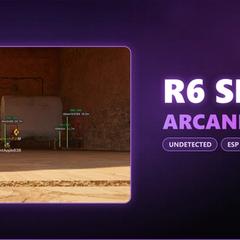
Arcane ESP for Rainbow Six Siege draws its visuals through the graphics card overlay, so turn on the NVIDIA or AMD overlay before launching. The BIOS is needed only if the loader won’t start.
Tick off steps with “Done” — progress is saved in this browser.
1System requirements
- OS
- Windows 10 or 11, x64
- CPU
- Intel or AMD
- GPU
- NVIDIA or AMD
- Window mode
- Borderless or windowed
- Game version
- Steam or Ubisoft Connect
- Spoofer included
- No
2Preparation
0 of 4Done once. Detailed steps for each item are on the Windows preparation page.
3Launch
0 of 6- 1Download LoaderArcane.exe from your dashboard. If the link won’t open, turn on a VPN.
- 2Put the loader in a separate folder, run it as administrator, and after it updates — once more.
- 3Enter the key and press Enter (if Ctrl + V doesn’t work, right-click inside the console window).
- 4If you were banned before, agree to clear their traces. The loader closes by itself — everything is loaded.
- 5Launch Rainbow Six Siege — the menu appears automatically.
- 6The menu opens with Home or Insert; unload the program with End.
4Troubleshooting
The key is not accepted
Copy the key from My keys in full, without spaces. Check the Windows clock (how to sync it). If the key is already activated on another PC, contact support to reset the binding.
The loader won’t start or closes right away
Defender or an antivirus almost always blocks it. Make sure they are off (how), download the loader again and run it as administrator.
The program didn’t load into the game
Restart your PC and repeat the launch steps in order, waiting for each loader message. If that doesn’t help, contact support and attach a screenshot of the last message.
5FAQ
Where do I get the key and the download link?
Everything arrives right after payment: the key, the loader download button and this guide are in My keys in your dashboard.
Which key opens the menu?
Home. On a laptop you may need to press it together with Fn.
Is there a built-in spoofer?
No. Usually it isn’t needed — an HWID spoofer is only required if your hardware has already been banned.
Which overlay is needed?
For NVIDIA — the NVIDIA App overlay, for AMD — AMD Software: Adrenalin Edition or SteelSeries Sonar. It is better to turn other overlays off so the menu stays clickable.
Is there an aimbot?
No, it is a visual version: ESP for players, drones and cameras, radar and off-screen arrows.
Where can I get help?
Contact our Telegram support — @dmalabs. News, status updates and the buyers’ chat are in the @dmalabsRU channel.