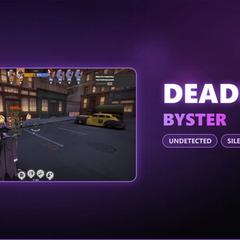
Byster attaches to Deadlock from its own launcher: the launcher starts first, then the game. Before the first launch, remove Windows protection, install .NET and Visual C++ and close third-party overlays.
Tick off steps with “Done” — progress is saved in this browser.
1System requirements
- OS
- Windows 10 or 11, builds 21H2–26H2
- CPU
- Intel or AMD
- GPU
- NVIDIA or AMD
- Window mode
- Windowed
- Game version
- Steam
- Spoofer included
- No
2Preparation
0 of 4Done once. Detailed steps for each item are on the Windows preparation page.
3Launch
0 of 5- 1Download the launcher from your dashboard and run it as administrator.
- 2Register in the launcher and activate the key.
- 3Select Deadlock and click Load.
- 4In the command prompt window that opens, wait for Waiting game.
- 5Launch the game and wait for the main menu. The cheat menu opens with Insert.
4Troubleshooting
The key is not accepted
Copy the key from My keys in full, without spaces. Check the Windows clock (how to sync it). If the key is already activated on another PC, contact support to reset the binding.
The loader says Defender is on
Defender turned itself back on after a restart. Turn it off completely, starting with Tamper Protection — step by step.
The loader won’t start or closes right away
Defender or an antivirus almost always blocks it. Make sure they are off (how), download the loader again and run it as administrator.
5FAQ
Where do I get the key and the download link?
Everything arrives right after payment: the key, the loader download button and this guide are in My keys in your dashboard.
Which key opens the menu?
Insert. On a laptop you may need to press it together with Fn.
Is there a built-in spoofer?
No. Usually it isn’t needed — an HWID spoofer is only required if your hardware has already been banned.
What does the red triangle next to a feature mean?
The developer marks risky features this way: Silent AIM, Magic Bullet, AutoKill Soul, aiming through walls, Bunny Hop, Perfect Active Reload and recoil control. Regular aim, ESP, radar and Auto Parry have no such mark.
How do I set up AutoKill Soul?
Bind a key in the AIM section. If the shot at the orb is late or early, adjust Timing Offset ms between -200 and 200.
Where can I get help?
Contact our Telegram support — @dmalabs. News, status updates and the buyers’ chat are in the @dmalabsRU channel.